






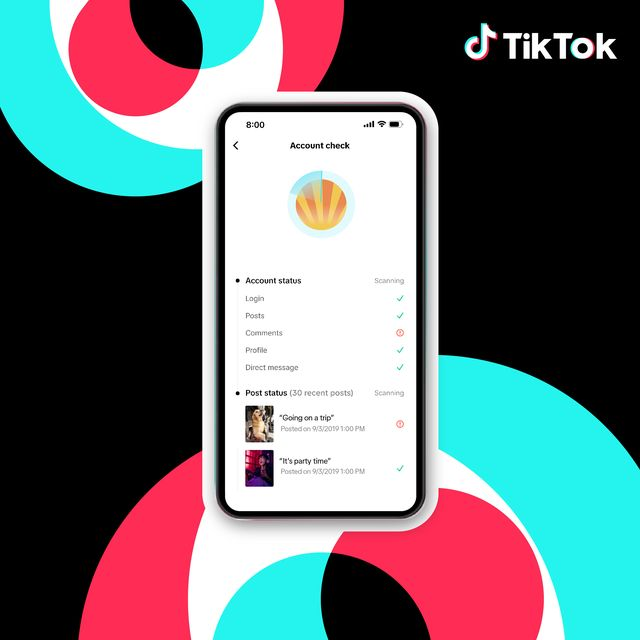
What is the TikTok LIVE and shadowban guide?
This digital resource is for creators investigating limitations or unexpected behaviour in their broadcasts. It includes a skill for using the guide's content with a compatible AI and asking questions about a specific situation.
Shadowban is often used to describe a decline in reach, but the word alone does not identify a cause. Distinguish performance data, platform notices, feature restrictions and connection problems.
The guide offers information and a way to consult it. It does not connect to TikTok to remove restrictions or replace official reviews and appeals.
Use the term shadowban precisely
One popular term for different situations
People often use shadowban to describe an unexplained visibility decline. The word itself does not identify a cause. It may mix an eligibility notice, a feature restriction, a small audience or a technical fault. The guide’s value is separating these situations into questions that can be reviewed rather than giving every audience variation the same diagnosis.
Access, visibility and transmission quality
Access concerns whether a feature is available. Visibility concerns how content reaches others. Technical quality concerns whether picture and sound arrive correctly. These affect a viewer’s experience but require different analysis. A broadcast may start normally with little reach, or have viewers while suffering audio cuts. Begin by describing the actual observation.
The digital guide’s role
The resource supports an organised review and more precise description of a case. It does not enter your account or change TikTok’s decisions. Its skill supports work with the material in a compatible AI tool; it does not turn that tool into official support. Understanding this scope allows productive use without expecting automatic platform intervention.
Keep the facts of your case in view
Useful questions start with observable facts, not random changes or the assumption that every audience decline is a penalty.
Describe the symptom
Record what happens, when it started, the device and any message shown. Separate technical errors, notified restrictions and viewer declines.
Review the guide
Match the symptom to relevant checks. Keep a record before changing settings so that later comparisons are useful.
Use the skill as support
Follow the instructions in a compatible AI and ask specific questions about the guide. Do not include passwords, access codes or unnecessary private information.
Gather information before choosing an explanation
Describe the symptom
Write what you expected and what happened: a missing option, notice, audience drop or interrupted signal. Include when it started and in which format. A broad statement about reach is insufficient if videos and LIVE or very different durations are mixed. A precise description narrows the hypotheses worth reviewing and avoids applying an answer to another problem.
Keep a small record of comparable sessions
Record date, subject, duration, time and relevant changes. Include only metrics genuinely available; do not present invented estimates as observations. Seek sessions with similar characteristics. Comparing a short broadcast with a long one may obscure exposure differences. The initial purpose is to describe a pattern and its limits, not to prove a penalty in advance.
Notices and account context
Preserve a notice’s text, date and affected function. Check the official status and available options for that case. Share only necessary information when requesting help, excluding credentials, codes and other people’s details. Screenshots may need redaction. This preparation supports guide use, an AI question or a review through the indicated channel.
Not every LIVE issue is a shadowban
This comparison helps classify symptoms; it is not an automated account diagnosis.
| What you observe | What to review | What it does not prove |
|---|---|---|
| Fewer viewers | Comparable content, schedules, duration and performance data. | That an account restriction exists. |
| Visibility or eligibility notice | The stated reason and review or appeal options. | That a network change will resolve it. |
| LIVE is unavailable | Requirements, account access and notifications. | That only a follower count is missing. |
| Audio or video interruptions | Connection, settings and system load. | That distribution has been restricted. |
Before buying the guide
The catalogue describes a digital guide with a skill. Confirm the delivery format and compatibility with your AI tool. A skill does not imply a paid AI subscription is included.
The product does not promise a particular reach, the lifting of a penalty or permanent removal of a presumed shadowban. TikTok controls its features and restriction decisions.
- You want information for a review, not third-party account management.
- You can use the guide format and a compatible AI if you want the skill.
- You have checked current price, availability and delivery terms.
- You distinguish the resource's suggestions from an official TikTok response.
Turn a suspicion into a structured review
Compare streams with similar content and duration. Record changes and avoid changing many variables at once, which makes it difficult to identify what may have mattered.
If you receive a notice, retain its text and follow the process TikTok provides. The guide can help you understand it, but an appeal should use the official route and accurate facts.
For several creators, keep a separate record per account. Similar symptoms can have different causes; clear records make follow-up and questions more useful.
Keep hypotheses distinct from facts
Provide context and a bounded task
Ask the AI to separate observed facts, possible explanations and missing information. For example, present three comparable sessions and the exact notice on the last one, then ask what to review. This frames the work without asking for an unsupported declaration of a penalty. Use the skill with an appropriate compatible tool and confirm its accepted format first.
Request a check for each hypothesis
For every suggested cause, ask what observation could distinguish it from alternatives. An untestable explanation is less useful for deciding the next step. Check for confusion between LIVE and posted videos or conditions from another market. The AI may be wrong and does not necessarily know the account’s real state; verify platform claims with current official information.
Do not turn correlation into a recipe
Improvement after a change does not alone prove that change caused it. Subject, timing and audience may also differ. Keep a record and avoid simultaneous modifications that prevent comparison. A hypothesis for one account is not an automatic diagnosis for others. The guide supports review rather than a universal formula guaranteeing restored results.
Make the review a useful ongoing process
Choose the next step from evidence
An explicit notice calls for reading its reason and following the available process. A technical fault calls for capture, equipment or connection tests. An audience difference without a notice calls for content and context comparison. Cases can require several lines of work. Record which one you will test first and why, keeping the review tied to the symptom.
Record both changes and unresolved questions
After each test, record observations rather than only conclusions. Saying audio is now audible in a local recording is more precise than saying an account is fixed. Retain what could not be verified. Separate pending official review from test results. This helps resume a case later or explain it to another person without losing context.
A practice for creators and agencies
Creators can learn from their own broadcasts; agencies can compare cases without mixing identities, notices or credentials. Reuse an observation template while keeping each case’s data separate. The aim is a better-informed decision: adjust a format, fix a technical issue or use the relevant official channel. No recovery date or permanent restriction removal is promised.
Questions about the guide and skill
Does it remove a shadowban automatically?
No. It is an information resource, not a tool with the ability to remove TikTok restrictions.
What does the included skill do?
It supports questions about the guide's content in a compatible AI. Answer quality also depends on the tool and the context provided.
Is an AI subscription included?
The product includes a skill; it does not state that an AI subscription is included. Confirm compatibility with your chosen tool.
Does lower reach prove a penalty?
Not by itself. Review comparable data, account notices and status before drawing that conclusion.
Will it submit an appeal for me?
It is not described as a representation or appeal-submission service. Official reviews are handled through TikTok's channels.